
This page may contain affiliate links. If you purchase through these links, we may receive a commission. This doesn't affect the opinions or assessments of our editors.
30% Off Sitewide
25% Off - Selected Items
Save £250 Off Over £2500 Purchase
Gaming PCs Under £999
Free UK Delivery Over £99
10% Off First Order
15% Off Signup Offer
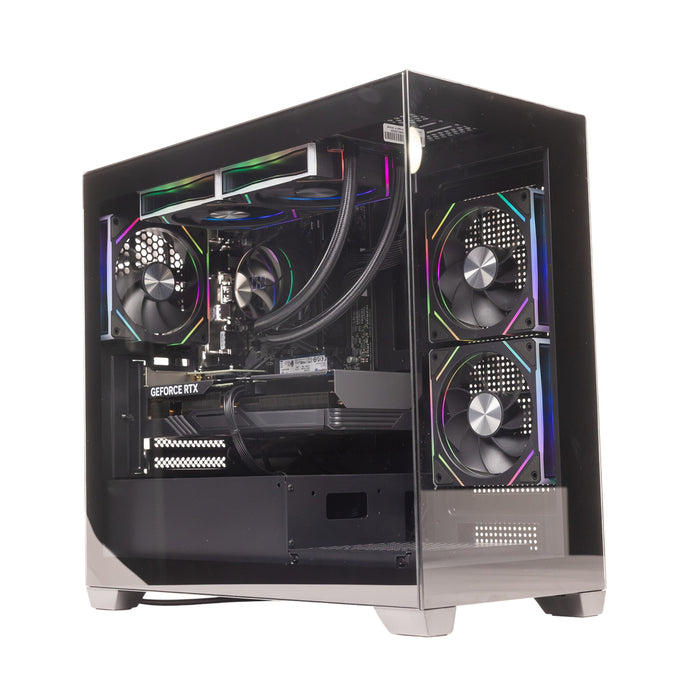
Buying a new gaming PC can be confusing. There are dozens of processors, graphics cards, RAM configurations, storage options and cooling systems to choose from — and the most expensive specification is not always the best one for your needs.
GoTraka is a UK-based technology retailer specialising in gaming PCs, custom systems, PC components, peripherals and other computing products. Its GTR Gaming range includes systems aimed at different budgets and performance levels, while the store also allows shoppers to buy individual components and accessories.

But is GoTraka the right place to buy your next PC?
This GoTraka buying guide explains what to look for before ordering, which specifications matter most, and how GoTraka compares with established UK alternatives such as PCSpecialist, AWD-IT and CyberPowerPC.
1. What Is GoTraka ?
GoTraka is a UK technology and electronics retailer with a particular focus on gaming PCs and computing hardware.
The company sells both pre-built and custom gaming PCs, alongside components such as CPUs, GPUs, RAM, storage, cooling products and other accessories. GoTraka also offers products for general home and business computing.
Its gaming PC collection covers everything from more accessible systems to enthusiast-level machines. Depending on the configuration, systems can use AMD or Intel processors and NVIDIA GeForce or AMD Radeon graphics cards.
GoTraka also operates its own GTR Gaming branding, giving shoppers another option beyond buying from a large mainstream PC manufacturer.

Why consider GoTraka ?
Some of the main reasons shoppers may consider GoTraka include:
- Pre-built gaming PCs
- Custom PC configurations
- AMD and Intel platforms
- NVIDIA and AMD graphics cards
- DDR4 and DDR5 memory options
- NVMe SSD storage
- Gaming accessories and components
- PC repair and upgrade services
- UK-based customer support
- Business computing solutions
The company also positions itself around sustainable technology purchasing and responsible waste management.
2. GoTraka Gaming PC Buying Guide
The biggest mistake when buying a gaming PC is choosing based only on the CPU or GPU name.
A good gaming PC needs a balanced combination of components.
Before choosing a GoTraka PC, consider the following.

3. Start With Your Gaming Resolution
Your monitor should influence the PC you buy.
1080p Gaming
For 1080p gaming, you generally don't need an extremely expensive flagship system.
A mid-range processor and graphics card can provide a strong experience, particularly for esports games such as competitive shooters.
If your budget is limited, putting more money into the GPU rather than unnecessary premium components can make more sense.

1440p Gaming
1440p is an excellent middle ground for modern gaming.
The higher resolution benefits from a stronger graphics card, particularly when playing demanding AAA games.
For many gamers, a well-balanced 1440p system is a better long-term purchase than spending heavily on a CPU while using a weaker GPU.
4K Gaming
4K gaming requires substantially more graphics performance.
If you want high settings and high frame rates at 4K, prioritise the GPU.
GoTraka higher-end gaming systems include configurations designed around powerful GPUs and processors, including enthusiast-level systems intended for demanding gaming and creative workloads.

4. CPU: Intel or AMD?
The processor is important for gaming, multitasking and productivity.
GoTraka offers systems using both Intel and AMD platforms, so you are not locked into one manufacturer.
Choose AMD if:
- You want strong gaming performance
- You want a competitive price-to-performance ratio
- You want a modern upgrade path
- You also use the PC for productivity
Choose Intel if:
- You prefer Intel's platform
- You use CPU-intensive applications
- You want a particular Intel processor or motherboard combination
- You have specific software requirements
The important thing is not simply choosing the brand.

Compare the complete system.
A powerful processor paired with an underpowered graphics card may deliver worse gaming value than a more balanced configuration.
5. GPU: The Most Important Gaming Component
For most gaming PCs, the graphics card deserves particular attention.
GoTraka sells systems using both NVIDIA GeForce and AMD Radeon graphics solutions.
When comparing GPUs, look at:
- Gaming resolution
- Expected frame rate
- VRAM
- Ray tracing requirements
- Upscaling technologies
- Power consumption
- Monitor refresh rate
- The games you actually play
Don't automatically choose the PC with the biggest model number.
Instead, ask:
What performance am I getting for my budget?
For example, a £1,500 gaming PC with a balanced CPU and GPU can potentially make more sense than spending the same amount on a system where the processor consumes too much of the budget.

6. How Much RAM Do You Need?
RAM affects multitasking and overall system responsiveness.
For a new gaming PC, 16GB can be considered a reasonable starting point, while 32GB is increasingly attractive for gamers who stream, edit videos, run multiple applications or simply want additional headroom.
GoTraka gaming PC range includes systems with configurations such as 16GB and 32GB memory, depending on the build.
Our general recommendation
16GB: Budget and mainstream gaming
32GB: Gaming + streaming + productivity
64GB+: Heavy content creation, professional applications and specialist workloads
Don't pay for huge amounts of RAM if the rest of the system cannot take advantage of it.
7. SSD Storage Matters
Modern games can take up a huge amount of storage.
An NVMe SSD provides fast loading and responsive system performance, making it preferable for a modern gaming PC.
GoTraka gaming systems commonly use NVMe SSD storage, with configurations including 1TB drives.
1TB
Good starting point for many gamers.
2TB
Better if you have a large game library.
4TB+
Worth considering for extensive game collections, video editing or large files.
Storage is also one of the easiest components to upgrade later.
8. Don't Ignore the Power Supply
The PSU is one of the least exciting parts of a gaming PC — but it is one of the most important.
A powerful GPU needs an appropriate power supply.
When comparing two PCs, don't look only at the wattage.
Check:
- PSU manufacturer
- Efficiency rating
- Wattage
- Connectors
- Upgrade capacity
- Overall build quality
A cheap power supply can undermine an otherwise excellent gaming PC.

9. Cooling and Case Design
High-performance processors and graphics cards generate heat.
A good case should provide adequate airflow, while the cooling system needs to match the components.
For enthusiast systems, GoTraka highlights features such as advanced cooling and custom fan curves on certain builds.
Think about your priorities:
Maximum performance: Stronger cooling
Quiet operation: Better fans, cooling and airflow
RGB aesthetics: Choose a case with the lighting and glass panels you want
Small setup: Look carefully at case dimensions and component compatibility
10. Pre-Built vs Custom GoTraka PC
One of the biggest decisions is whether to buy a pre-built system or configure your own.
Pre-Built Gaming PC
A pre-built system is easier.
You choose a specification, place your order and receive a complete computer.
Advantages
- Easier for beginners
- No assembly required
- Components are selected for compatibility
- Faster purchasing decision
- Usually includes operating system and testing
Best for
First-time PC buyers and gamers who don't want to spend hours researching components.
Custom Gaming PC
A custom configuration gives you more control.
You can prioritise the GPU, upgrade RAM, change storage, select a different case or adjust cooling depending on the options available.
Advantages
- More control
- Easier to match your budget
- Personalised component selection
- Better suited to specific workloads
Best for
Experienced buyers who already understand the components they need.
11. GoTraka vs PCSpecialist
PCSpecialist is one of the better-known UK custom PC builders.
PCSpecialist provides online configurators that allow customers to select components including processors, graphics cards, storage, memory, motherboards, cases and cooling.
- Strong focus on gaming PCs
- GTR Gaming systems
- Pre-built and custom options
- Components and accessories
- PC repair and upgrade services
- UK-based support
PCSpecialist
- Extensive customisation
- Established custom PC platform
- Large component selection
- Strong focus on configurable systems
- Suitable for buyers who want detailed control
Which is better?
Choose GoTraka if you like the GTR range, find a particularly competitive specification or want a retailer that also sells individual components and offers repair/upgrade services.
Choose PCSpecialist if extensive configuration options are your biggest priority.
12. GoTraka vs AWD-IT
AWD-IT is another major UK alternative.
AWD-IT offers both pre-built and custom gaming PCs and states that its systems are built and tested in the UK. Its current gaming PC range covers entry-level systems through high-end RTX configurations.
AWD-IT also advertises a three-year warranty as standard on its gaming PCs.
Strengths:
- GTR Gaming PCs
- Custom and pre-built systems
- Components and accessories
- Repair and upgrade services
- Sustainability-focused positioning
AWD-IT
Strengths:
- Large gaming PC selection
- Custom configurator
- Pre-built systems
- UK-built systems
- Three-year standard gaming PC warranty
- Extensive component catalogue
Which is better?
If you want to compare value, check the exact CPU, GPU, RAM, SSD, motherboard and PSU rather than comparing advertised PC names.
AWD-IT can be particularly attractive for shoppers who want a large selection of pre-built gaming systems.
GoTraka can be attractive when its GTR configurations offer the better combination of components, price and support.
13. GoTraka vs CyberPowerPC UK
CyberPowerPC is another major competitor.
CyberPowerPC UK offers both custom and pre-built gaming systems. Its PC Finder tool lets shoppers choose a budget and gaming style before being presented with suitable systems.
The company also offers extensive customisation and categories for different gaming requirements.
CyberPowerPC UK currently advertises a five-year warranty with its PCs, free mainland UK delivery and lifetime technical support.
Best suited to shoppers who want:
- GTR Gaming systems
- Competitive configurations
- Components and accessories
- Custom and pre-built options
- UK-based support
- Repair and upgrade services
CyberPowerPC
Best suited to shoppers who want:
- A highly established PC builder
- Extensive customisation
- Pre-built options
- PC selection tools
- A longer advertised warranty package
Which should you choose?
Compare the actual specification and total price.
If two systems use similar GPUs and CPUs, look at the motherboard, PSU, cooling, SSD, RAM configuration, warranty and upgrade options before making a decision.
14. GoTraka vs Competitors: Quick Comparison
| Feature | GoTraka | PCSpecialist | AWD-IT | CyberPowerPC UK |
|---|---|---|---|---|
| Pre-built PCs | Yes | Yes | Yes | Yes |
| Custom PCs | Yes | Yes | Yes | Yes |
| Gaming focus | Strong | Strong | Strong | Strong |
| PC components | Yes | Yes | Yes | Yes |
| UK-based support | Yes | Yes | Yes | Yes |
| Repair/upgrade service | Yes | Varies | Yes | Yes |
| PC configurator | Available on selected builds | Strong | Strong | Strong |
| Own gaming brand | GTR Gaming | PCSpecialist | AWD-IT | CyberPowerPC |
| Best for | Value + GTR systems | Deep customisation | Broad choice/value | Established custom builder |
The exact specifications, prices and warranty terms can change, so shoppers should check the retailer's current product page before purchasing.
15. Is GoTraka Good for Budget Gaming?
It can be.
The key is to compare the complete specification rather than assuming that a cheaper PC is automatically better value.
For a budget gaming PC, prioritise:
- GPU
- CPU
- 16GB+ RAM
- 1TB NVMe SSD
- Suitable PSU
- Adequate cooling
- Upgrade potential
Avoid spending a large part of your budget on cosmetic features if your priority is gaming performance.
16. Is GoTraka Good for High-End Gaming?
GoTraka also caters to enthusiast-level buyers.
Its higher-end systems are aimed at competitive gamers, streamers and creators who need additional processing and graphics performance. The company lists systems using high-end Intel/AMD processors and NVIDIA/AMD graphics solutions.
For a high-end purchase, however, compare:
- GPU model
- GPU VRAM
- CPU
- Motherboard chipset
- RAM speed and capacity
- SSD generation
- PSU quality
- CPU cooler
- Case airflow
- Warranty
At this price level, small specification differences can have a major effect on value.
17. GoTraka Customer Feedback
Customer feedback is another factor worth considering.
At the time of writing, GoTraka has a 4.5/5 TrustScore on Trustpilot from 328 reviews. Recent reviewers frequently mention build quality, competitive pricing, packaging and helpful customer service.
However, reviews are not universally positive. Some customers have reported delivery or order-related problems, while other reviews describe issues that were subsequently resolved by GoTraka support team.
That is why it is worth looking at recent reviews rather than relying on a single overall score.
18. GoTraka Returns and Support
GoTraka FAQ states that most online purchases have a 14-day legal right to change your mind, with specific conditions around notifying the company and returning the product. Faulty or damaged products qualify for free returns, while unwanted products without a fault may incur a return fee.
GoTraka also provides PC repair and upgrade services.
Its current repair service includes collection, diagnosis and a repair report, while the upgrade service includes installation and testing when the component is purchased from GoTraka .
This can be useful if you prefer buying from a retailer that can continue supporting the PC after the original purchase.
19. How to Get the Best GoTraka Deal
Before ordering, don't simply buy the first PC that appears in the search results.
Use this checklist:
Step 1: Set your budget
Decide your maximum spend before looking at specifications.
Step 2: Choose your resolution
1080p, 1440p or 4K?
Step 3: Pick your GPU
This should usually be one of your biggest priorities.
Step 4: Check the CPU
Make sure it isn't unnecessarily powerful or too weak for your chosen GPU.
Step 5: Check RAM
16GB is a reasonable starting point, while 32GB provides more headroom.
Step 6: Check storage
A 1TB NVMe SSD is a useful starting point for many gaming PCs.
Step 7: Investigate the PSU
Don't overlook the power supply.
Step 8: Check cooling
Make sure the case and cooler can handle the components.
Step 9: Compare competitors
Check the same or very similar specification at PCSpecialist, AWD-IT and CyberPowerPC.
Step 10: Check warranty and returns
The cheapest PC isn't necessarily the best purchase if another retailer offers a better support package.

20. Final Verdict: Should You Buy From GoTraka ?
GoTraka is worth considering if you're shopping for a gaming PC in the UK, particularly if you find a GTR Gaming configuration that delivers the right balance of GPU, CPU, RAM, storage and cooling for your budget.
Its biggest advantages are its focus on gaming systems, range of components, custom and pre-built options, UK support and additional repair/upgrade services.
It is not automatically the best choice for every buyer, though.
PCSpecialist may appeal to shoppers who want extensive configuration options. AWD-IT is worth comparing for its broad range of gaming systems and components. CyberPowerPC UK is another strong option for buyers who want a large customisation ecosystem and an established gaming PC manufacturer.
The smartest approach is simple:
Compare the specification, not just the brand name.
Look at the GPU first, then CPU, RAM, storage, motherboard, PSU and cooling. Once those are comparable, consider price, warranty, delivery and customer support.
For gamers who find a competitively priced and well-balanced GTR system, GoTraka can be a strong UK option for a new gaming PC in 2026.
Frequently Asked Questions
Is GoTraka a UK company?
Yes. GoTraka is a UK-based technology retailer, with its listed address in London. The company says its website is a trading name of Tannas Ltd.
Does GoTraka sell gaming PCs?
Yes. GoTraka sells both pre-built and custom gaming PCs through its GTR Gaming range.
Does GoTraka sell PC components?
Yes. Its catalogue includes components such as graphics cards, processors, memory, storage and cooling products.
Does GoTraka offer PC repairs?
Yes. GoTraka currently offers PC diagnosis, repair and upgrade services.
Is GoTraka better than PCSpecialist?
There is no universal winner. PCSpecialist is particularly strong for custom configuration, while GoTraka can be attractive when its GTR systems offer better value or when you want its component, repair and support services.
Is GoTraka better than AWD-IT?
Both are worth comparing. AWD-IT has a large selection of pre-built and custom gaming PCs, while GoTraka offers its own GTR Gaming range alongside components and support services.
Is GoTraka better than CyberPowerPC?
It depends on the exact PC. CyberPowerPC offers extensive customisation and a PC Finder tool, while GoTraka competes with its GTR Gaming systems and UK support. Always compare equivalent specifications before buying.